Disposable Camera Wedding: Film, App or QR Code?

A disposable camera wedding means your guests take the candid photos and nobody sees them until later, and you can do it three ways: real film cameras on the tables, a disposable camera app, or a QR code that turns each guest's own phone into a camera with a hidden album. Film gives you the look and the wait but costs the most per usable photo; apps and QR codes give you far more photos and keep the reveal. For most weddings the best mix is a QR code on every table plus a few film cameras for fun.
Below are the real costs, the problems nobody mentions, an honest side by side table, and the exact wording for your table cards.
Turn every guest's phone into a disposable camera.
No app, every photo in your Google Drive.
Create your free QR codeWhy couples still want a disposable camera wedding
Your photographer covers the ceremony, the portraits and the first dance. What they cannot cover is your aunt's table at 11pm, the groomsmen outside, or the moment your grandmother got on the dance floor. Guest cameras fill that gap.
The disposable camera adds three things a normal shared album does not:
- The reveal. You wake up the next morning, or come back from the honeymoon, and see the night through everyone else's eyes. That wait is half the fun.
- The surprise. Guests cannot check, delete and retake. You get the blurry, honest, funny shots, not a curated highlights reel.
- Guests shoot without performing. Nobody is posting these anywhere, so people photograph the room, the food and each other instead of posing for their own feed.
The question is which route gives you that feeling without the downsides. Each one is good at something.
Are disposable cameras worth it for a wedding?
Real film disposables are worth it if you want the film look itself and accept that you will get fewer usable photos than frames shot. They are not worth it if your main goal is lots of good candid photos of everyone.
The reasons are practical. Disposable cameras need their flash to get a decent picture indoors, and guests often forget to switch it on, as The Drunk Wedding Photographer blog points out; the same post warns that you might get "a handful of usable pictures" from a camera, and that the lab charges the same whether one frame comes out or all of them. Add dark reception rooms, a fixed focus lens with no zoom, cameras left under tables, and the wait for developing, and the keeper rate drops fast.
None of that means film is a bad idea. It means film works best as a fun extra, not as your only source of guest photos.
What a film disposable camera really costs
Retail guides tell you how many cameras to buy but rarely add up the whole bill. Here is the all in estimate for 100 guests, using numbers we could check on the source pages.
| Item | Estimate for 100 guests | Source |
|---|---|---|
| Number of cameras | About 10 (one per 8 to 10 guests) | Maplin |
| Frames per camera | 27 exposures on typical models, so up to 270 frames | Maplin |
| Cameras | About $199 for a Fujifilm ten pack, as listed on Amazon in the post | The Drunk Wedding Photographer |
| Developing and scans | From $17 per camera at one US mail order lab, so from about $170 for ten | The Darkroom |
| Total | From roughly $370, before larger scans, prints or replacing lost cameras | Our sum of the rows above |
Now the part that matters: cost per keeper. If half of the 270 frames come out well, you pay roughly $2.75 per usable photo. If only a quarter come out, it is about $5.50 each. These are worked examples, not measurements; your result depends on the light, the flash and your guests.
Two more costs that never show up on a receipt:
- Time. The Darkroom says mail usually reaches its lab in 2 to 5 days and it develops, scans and uploads in 2 to 4 days. Add the days it takes to collect the cameras after the wedding and send them off, and you are looking at a week or two before you see anything.
- Resolution. The same lab lists its standard scan at 1024 x 1536 pixels, with larger scans as an upgrade. Fine for a phone screen, small for a big print.
Avoid wedding branded novelty cameras. The Drunk Wedding Photographer post warns they can come with as few as 12 exposures and weaker flashes, and recommends plain Kodak or Fujifilm models instead.
How many disposable cameras for a wedding?
The common rule is one camera per 8 to 10 guests, which Maplin uses to arrive at about 10 cameras for 100 guests. In practice that means one per table, plus one or two at the bar and in the lounge where people linger.
Maplin also suggests naming a "Photo Host", one guest who hands cameras out and collects them at the end, so none go missing. If you buy film, do this. Cameras that leave in a handbag rarely come back.
With a phone based route, the question changes from "how many cameras" to "how many shots per guest". Every guest already holds a camera, so you set a limit to recreate the roll feeling:
| Shots per guest | What it feels like |
|---|---|
| Unlimited | No scarcity, the most photos, closest to a normal shared album with a reveal |
| 36 | A long roll. Guests shoot freely but still think twice |
| 24 | The classic disposable feel. A good default for most weddings |
| 12 | Scarce. Every frame feels precious, which suits small weddings and dinners |
Our rule of thumb: pick 24 for a big wedding, 12 for an intimate dinner, unlimited if you care more about coverage than the game.
The problems nobody mentions
Every route has failure points. Here they are, so you can plan around them.
Film:
- Forgotten flash and dark rooms, the most common reason for blank or murky frames.
- Wasted frames: pictures of the floor, the back of a head, a test shot at the start.
- Lost cameras. Guests take them home, leave them on the shuttle, or a child finishes the roll in ten minutes.
- The wait, and the cost of developing every roll whether it is any good or not.
Apps and QR codes:
- Guests forget to scan. A card on the table is easy to ignore. A spoken reminder from the MC fixes most of this.
- They need signal. Photos upload over mobile data or Wi-Fi. A cellar venue with no reception needs the Wi-Fi password on the card.
- No app means no push reminders. A browser page cannot buzz a guest's phone at the reveal, so you send the link yourself.
- Phone photos look like phone photos. You get sharp, high resolution pictures, not film grain. Some couples want exactly that, some do not.
Disposable camera apps for weddings: what they do and where they fall short
If you search for a disposable camera app, most results are filter apps like Dispo or Gudak that you use with friends. They are not built for weddings, and every guest would have to install them. The wedding guest camera apps are different: guests scan a code and get a camera with a shot limit and a reveal. Here is what the main ones say on their own pages.
- POV (pov.camera). Guests scan a QR code to get "a disposable camera on their phone". On iPhone it runs as an App Clip, on Android in the browser. The host chooses how many photos each person takes and when photos reveal to guests. Its pricing page shows events with up to 10 guests at no charge and a guest count calculator above that.
- Zola Disposable Camera (zola.com). Also an App Clip on iPhone and the browser on Android. Reveal "instantly, when the event ends, 12 hours after, or manually". Zola's help pages say guests cannot upload from their camera roll, iPhones need iOS 17 or later, and photos can be viewed and saved for up to a year after the event before they are deleted.
- Lense (lense.app). A web camera, no app or account for guests, with uploads from the gallery allowed. Its checkout shows a default of 25 photos per guest, unlimited captures and video as paid add-ons, euro pricing by guest count, and photos are kept for 12 months.
- pix.wedding (Film Roll Mode). Photos stay hidden until you unlock them, hidden from the couple too, with an optional shot cap.
The common weak spots: pricing that grows with your guest count, storage on someone else's servers that ends after about a year on Zola and Lense, and on App Clip apps, an iPhone path that differs from the Android one. If a camera is camera only, the good photos guests already took during the day cannot be added. Our longer roundup is in the best wedding photo sharing apps, and a feature by feature view is on our compare page.
The QR code option: guests use their own phone, nothing to install
If you want a disposable camera alternative for your wedding that skips both the film and the app, this is the third route. You print a QR code, guests scan it, and an upload page opens in the phone browser. No app, no account, iPhone and Android alike, and the guest page shows in English, Bulgarian, Spanish, German, French, Italian, Portuguese, Dutch or Polish.
With JollyPics, every photo and video lands in your own Google Drive in high resolution, in a folder you own. We keep no copies, so there is no gallery that expires after a year.
Disposable camera mode: the reveal, built in
On the Event Plus and Unlimited plans you can switch on Disposable camera mode. In the words of our own feature page: "Guests scan a QR code, shoot all day and see nothing until the reveal you choose. The morning after, the album opens on the same link."
How it works:
- Album hidden from guests until the reveal. You choose when: the morning after at 9:00 (the default), when the event closes, a time you pick, or you press Reveal now.
- Shots per guest: unlimited, 36, 24 or 12, counted per phone.
- Camera roll allowed by default, so guests can add the good shots they took earlier. Switch it off for a camera only event, and the upload button opens the camera straight away.
- Everything counts as a shot: photos, videos, voice messages and virtual photobooth shots.
- You see everything live in your dashboard and Drive. The reveal is for guests, not for you.
- Approval before showing works with it, so only approved files appear at the reveal.
The honest limits: the shot count is per phone, and as the dashboard hint puts it, "A guest who clears their browser data gets a fresh camera." No email goes out at the reveal; guests open the same link or scan the QR again. And Disposable camera mode is not on the free Starter plan, which covers one event and 50 uploads without the reveal.
Film vs app vs QR code: side by side
| Film disposable cameras | Disposable camera app (POV, Zola, Lense) | QR code with disposable camera mode (JollyPics) | |
|---|---|---|---|
| What guests need | Nothing, the camera is on the table | A smartphone; App Clip on iPhone, browser on Android | Any smartphone with a browser |
| Rough cost for 100 guests | From about $370 for 10 cameras plus developing (see table above) | Priced by guest count; small events at no charge on POV (10 guests), Zola (5) and Lense (7) | Event Plus or Unlimited plan; see pricing |
| Photos you can expect | Up to 270 frames, fewer usable | Limited by the shot cap you set | Limited by the shot cap you set, or unlimited |
| Wait for photos | About one to two weeks | At the reveal time you choose | At the reveal time you choose; you see them live |
| Lost or wasted shots | Lost cameras, forgotten flash, dark frames | Guests who never scan | Guests who never scan |
| Camera roll uploads | No | Zola no; Lense yes; POV not stated on its homepage | Yes by default, can be switched off |
| Videos | No | Lense as a paid add-on; not stated by POV or Zola | Yes, they count as a shot |
| Where photos end up | Scans from the lab | The app's servers (Zola and Lense keep them for about a year) | Your own Google Drive, high resolution, no watermarks |
| Biggest weak spot | Cost per keeper and the wait | Price grows with guests, storage ends | Needs signal; no push reminder at the reveal |
The competitor facts come from their own pages, linked under Sources. Prices and features change, so check before you buy.
How to run a disposable camera wedding with a QR code, step by step
Before the wedding (fifteen minutes, a week ahead)
- Create your event at JollyPics and sign in with Google. The event folder appears in your Drive.
- Switch on Disposable camera mode in Settings, under Extras. Pick the reveal: the morning after at 9:00 suits most weddings. If you have a brunch the next day, pick a time that matches it and reveal the album on a screen there.
- Set the shots per guest. 24 is a good start. Decide whether guests may also pick from their camera roll; leaving it on gets you the daytime and getting ready shots too.
- Turn on approval if you want to check photos before guests see them at the reveal.
- Print the cards. One per table, plus a bigger sign at the entrance or the bar. Our QR templates are ready to print, and there is more wording on the QR code wording page.
- Test it on an iPhone and an Android phone. Scan, take a shot, check it lands in your Drive.
On the day
- Put the code where phones already are: tables, bar, the guestbook, the lounge. People scan when they are sitting or waiting, not while dancing.
- Have the MC say it once, after dinner or before the first dance. One spoken line beats ten printed ones.
- If signal is weak, print the Wi-Fi password on the card.
- Watch the album fill up on your phone if you like. Guests see a banner that reads: "Shoot away. Everyone's photos stay hidden until [time], then the album opens right here."
After the wedding
- The reveal opens automatically at the time you chose, or press Reveal now. Guests see a one time banner: "The album is open. Here is everything everyone captured."
- Send the link to your guests in the group chat that morning, because no reveal email goes out. This is also the moment the late uploaders add their photos.
- Everything is already in your Drive. No download deadline, no gallery to export.
More on running guest photos for a whole wedding day is on our wedding photo sharing page.
Set up your disposable camera in a minute.
Guests scan, shoot, and wait for the reveal.
Create your free QR codeDisposable camera table sign wording you can copy
Three lines work best: what to do, how, and the reassurance. Pick the one that matches your setup.
For film cameras on the table:
Be our wedding photographer! Snap the moments we might miss. Flash on, every time. Please leave the camera on the table when you go.
For a QR code with a hidden album:
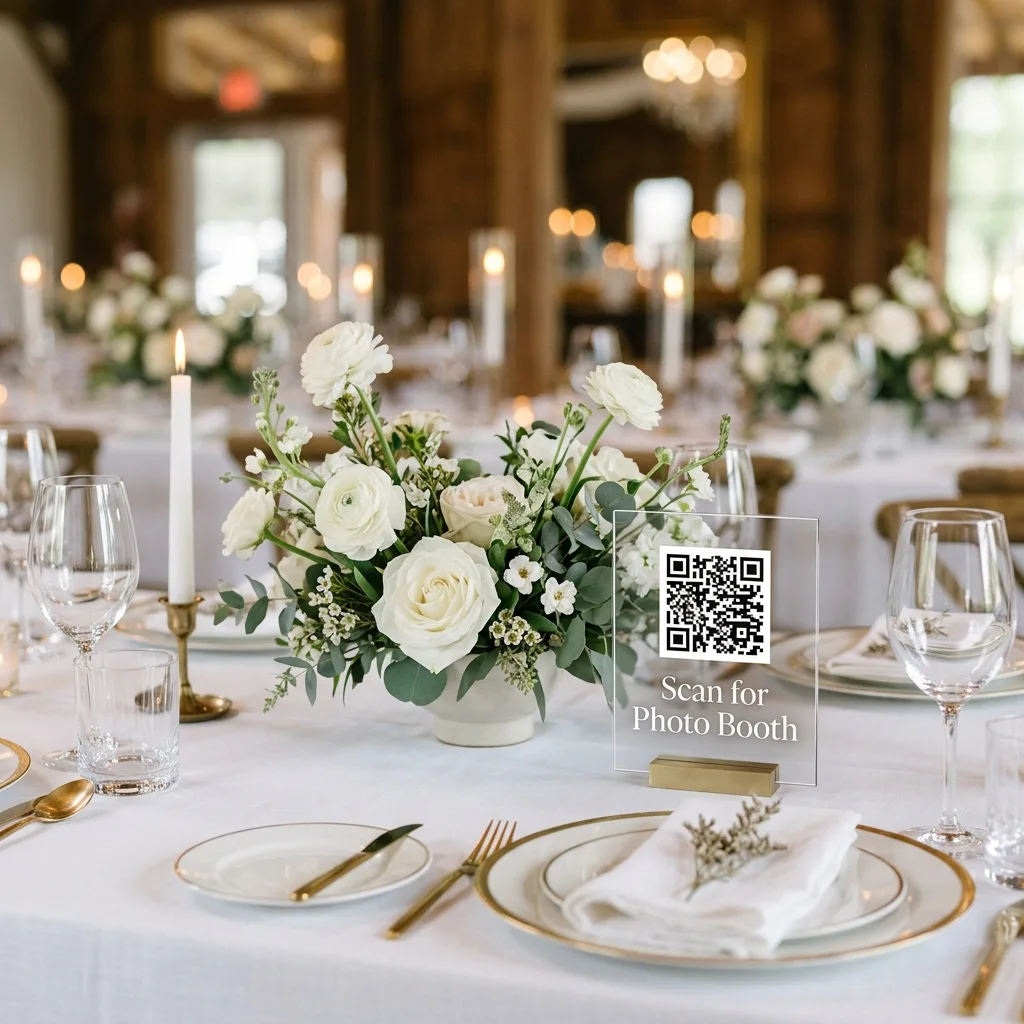
Our disposable camera is your phone. Scan the code, shoot away, no app needed. The album opens tomorrow morning at 9:00. Scan again to see it.
For a camera only event with a shot limit:
You have 24 shots. Make them count. Scan to open the camera, no app or sign up. We will all see the photos at the reveal.
For using both:
Film camera on the table, phone camera in the QR code. Use one, use both. Every photo stays hidden until the morning after.
What the MC can say (after dinner):
"There is a QR code on every table. It turns your phone into a disposable camera, no app needed. Nobody sees the photos until tomorrow morning, including the couple's parents, so be brave."
If you leave camera roll uploads on, add: "Got a great shot from earlier? Add it too."
The morning after (group chat):
Good morning! The album from last night is open. Same link as the QR code: [link]. Add any photos you still have.
Who should still buy film
Film is the right call if:
- You want the film look itself, grain, flash glare and all, and you are happy to pay for it.
- Your venue has no signal and no guest Wi-Fi, such as a remote barn or a boat.
- You are planning an unplugged wedding where phones stay in pockets.
- Many guests do not carry smartphones, or you want something older relatives can pick up without help.
For everyone else, the best mix is both: three to five film cameras at the bar and in the lounge for the nostalgia, and a QR code on every table for the full picture of the night. You get the film moments and far more phone photos, with one reveal for both. And if you are wondering whether guest cameras can replace a photographer, they cannot; see our honest look at alternatives to a wedding photographer.
FAQ
Are disposable cameras worth it for a wedding?
Worth it for the film look and the fun, not for coverage. Expect fewer usable photos than frames shot, because guests forget the flash and reception rooms are dark. A QR code or app gives you more photos with the same reveal.
How many disposable cameras do I need for a wedding?
About one per 8 to 10 guests, so roughly 10 for 100 guests, according to Maplin's guide. With a phone based disposable camera, every guest already has a camera, so you set a shot limit instead.
How much does it cost to develop disposable cameras?
One US mail order lab, The Darkroom, starts at $17 per camera for developing and scans. For ten cameras that is from about $170, on top of the cameras themselves.
Do guests need to download an app for a disposable camera?
Not with a QR code upload page; it opens in the phone browser on iPhone and Android. Some wedding camera apps use an App Clip on iPhone and a browser page on Android, while classic disposable camera apps like Dispo need a full install.
Can I hide the photos until after the wedding?
Yes. With Disposable camera mode the album stays hidden from guests until the morning after, when the event closes, a time you pick, or when you press Reveal now. You can see everything in your Drive the whole time.
Do disposable cameras replace a wedding photographer?
No. Guest cameras catch the candid moments around the edges, but not the ceremony, portraits or low light dance floor the way a professional does. Use them alongside a photographer, or read our guide to alternatives to a wedding photographer if the budget is tight.
One QR code, every guest's photos, a reveal the morning after.
Create your free QR codeSources
- Maplin, "Are Disposable Cameras at Weddings a Good Idea?"
- The Drunk Wedding Photographer, "Disposable Cameras for Weddings"
- The Darkroom, disposable camera developing
- POV home page
- POV pricing
- Zola Disposable Camera
- Zola FAQ, camera roll
- Zola FAQ, access and iOS 17
- Zola FAQ, how long photos are kept
- Lense home page
- Lense checkout
- pix.wedding Film Roll Mode