Holiday Photo Scavenger Hunt: Free Printable Prompts

A holiday photo scavenger hunt is a party game where guests get a short list of prompts, take a photo for each one on their own phones, and share the results at the end. You can run one at Thanksgiving dinner, an office party, a Hanukkah gathering or on New Year's Eve with nothing more than a printed card and one place for everyone to put the photos.
Below: 56 prompts by occasion, seven simple rules, a free printable card with a space for your QR code, and an honest look at free ways to collect every team's photos.
Jump to: How it works | Thanksgiving | Christmas and office | Hanukkah | New Year's Eve | Swaps | Printable card | Where the photos go
Collect every team's hunt photos in your own Google Drive.
No app for guests.
Create your free QR codeHow a holiday photo scavenger hunt works
A hunt gives guests a reason to get up, mix and talk to someone new, and the party gets a record nobody had to plan. The hard part is not the game but the photos: twelve prompts and twenty players can mean up to 240 photos on twenty phones, and most never leave those phones unless you decide where they go first.
The rules below draw on what companies that run hunts for a living suggest. They are opinions and common practice, not research, and each source is linked at the end.
- Pick 10 to 15 prompts, not all 56. That is enough to fill the time without anyone giving up. Mix the types, and put an easy win first so nobody stalls on the first prompt, a tip from Scavify.
- Set a time box. Scavify suggests 30 to 45 minutes for a hunt at work; a small family group can finish in less. At a seated dinner, skip the race and spread the hunt across the meal.
- Make teams of two to four, or up to six at a big party. Scavify suggests pairs up to groups of four; larger teams leave people standing around. Mix departments or family branches on purpose.
- Score simply. One point per prompt, plus one to three bonus points for a creative shot, is the system Confetti describes. Or skip points and give awards: funniest, best teamwork, best detail. Say what earns a point before you start.
- Judge with people who are not playing. The host plus one volunteer is enough. Go one prompt at a time.
- Play fair. From Leaderboarded: the whole team in the frame where a prompt asks for people, rotate who holds the phone, no photos taken before the start, and when time is up, it is up. It is an honor system.
- Keep it optional and safe for work. Anyone can sit out. Ask before you photograph someone, and keep screens, paperwork and addresses out of the frame, as Confetti advises. Our own additions: no close-ups of children, no alcohol dares or drinking prizes, and no prompts about anyone's looks, age or relationships.
And one rule of our own: pick one place for the photos before the clock starts. More on that below.
Prize ideas for a family table or an office: choosing the next playlist, first pick of dessert, a team lunch, or a donation to a charity in the winners' name.
The prompts
Every prompt is short and numbered, so teams can say "T7 done" instead of reading the whole line. Each has a type tag:
- Find: spot something in the room.
- Do: make or stage something.
- People: a photo with other guests in it (ask first).
- Food: the table, the plate, the dessert.
- Silly: the one that gets the laugh.
Each printable card uses 12 per occasion. Swap freely between lists.
Thanksgiving photo scavenger hunt prompts
Thanksgiving falls on the fourth Thursday of November, which this year is Thursday, November 26. Most people spend it at one long table, so play slowly: hand out the card before the meal, let teams choose their prompts, and look at the photos over dessert.
| # | Type | Prompt |
|---|---|---|
| T1 | Find | Find something orange that nobody is planning to eat. |
| T2 | Food | Photograph your plate at its most overloaded, before the first bite. |
| T3 | Food | Catch the pie the second the first slice leaves the dish. |
| T4 | People | Photograph two generations at the table, passing a dish between them. |
| T5 | Do | Photograph a handwritten recipe, or one on a phone, next to the dish it made. |
| T6 | People | Photograph whoever is carving or serving, with the hungry crowd behind them. |
| T7 | Find | Find the oldest thing on the table or in the room and tell its story out loud. |
| T8 | Silly | Pose the whole table like a formal 1800s portrait. Nobody smiles. |
| T9 | Do | Ask three people what they are thankful for, write each answer on a napkin and photograph each person holding theirs. |
| T10 | Find | Find a leaf, acorn or branch that has made it indoors. |
| T11 | Silly | Stack the leftover containers into the tallest tower you can and photograph it. |
| T12 | People | Photograph the dish-washing team mid-task, thumbs up. |
For a table of several generations, see our family reunion photo sharing guide.
Christmas and office party photo scavenger hunt prompts

These work at a family Christmas and a workplace party alike. At work, read rule 7 out loud before you start. Christmas Day is Friday, December 25.
| # | Type | Prompt |
|---|---|---|
| C1 | Find | Photograph the tree from underneath, looking up through the branches. |
| C2 | Find | Find something red and something green in one frame, neither of them a decoration. |
| C3 | Find | Find the string of lights that is working hardest and photograph its knot. |
| C4 | Do | Wrap a gift in 60 seconds using only what is in the room, then photograph it beside a properly wrapped one. |
| C5 | People | Get your whole team in one shot, each person wearing one holiday item: a hat, scarf, tinsel or sweater. |
| C6 | People | Photograph two people from different teams raising their mugs together. |
| C7 | Food | Build the most carefully arranged snack plate you can in two minutes and photograph it from above. |
| C8 | People | Photograph a homemade treat with the person who made it, in whatever pose they choose. |
| C9 | Silly | Turn your team into a snow globe: everyone frozen in a doorway while one person drops paper snowflakes. |
| C10 | Silly | Pose your team as a holiday movie poster and give the movie a title. |
| C11 | Do | Build the smallest possible tree from desk items and photograph it next to a coin for scale. |
| C12 | Do | Write a one line thank you for a colleague on a sticky note and photograph it before you hand it over. |
| C13 | Find | Find the most festive corner of the building that is not the party room. |
| C14 | People | Teach someone to say "happy holidays" in a language they do not speak, and photograph the attempt. |
| C15 | Silly | Agree as a team on the loudest sweater in the room and photograph its sleeve, with the wearer's OK. |
| C16 | People | Photograph the person who organized the party with the whole group applauding behind them. |
The office card uses C1, C2, C4, C5, C7, C9, C11, C12, C13, C14, C15 and C16, so it works without a tree. For party themes, see our Christmas party themes post, and for consent and privacy at work, corporate event photo sharing.
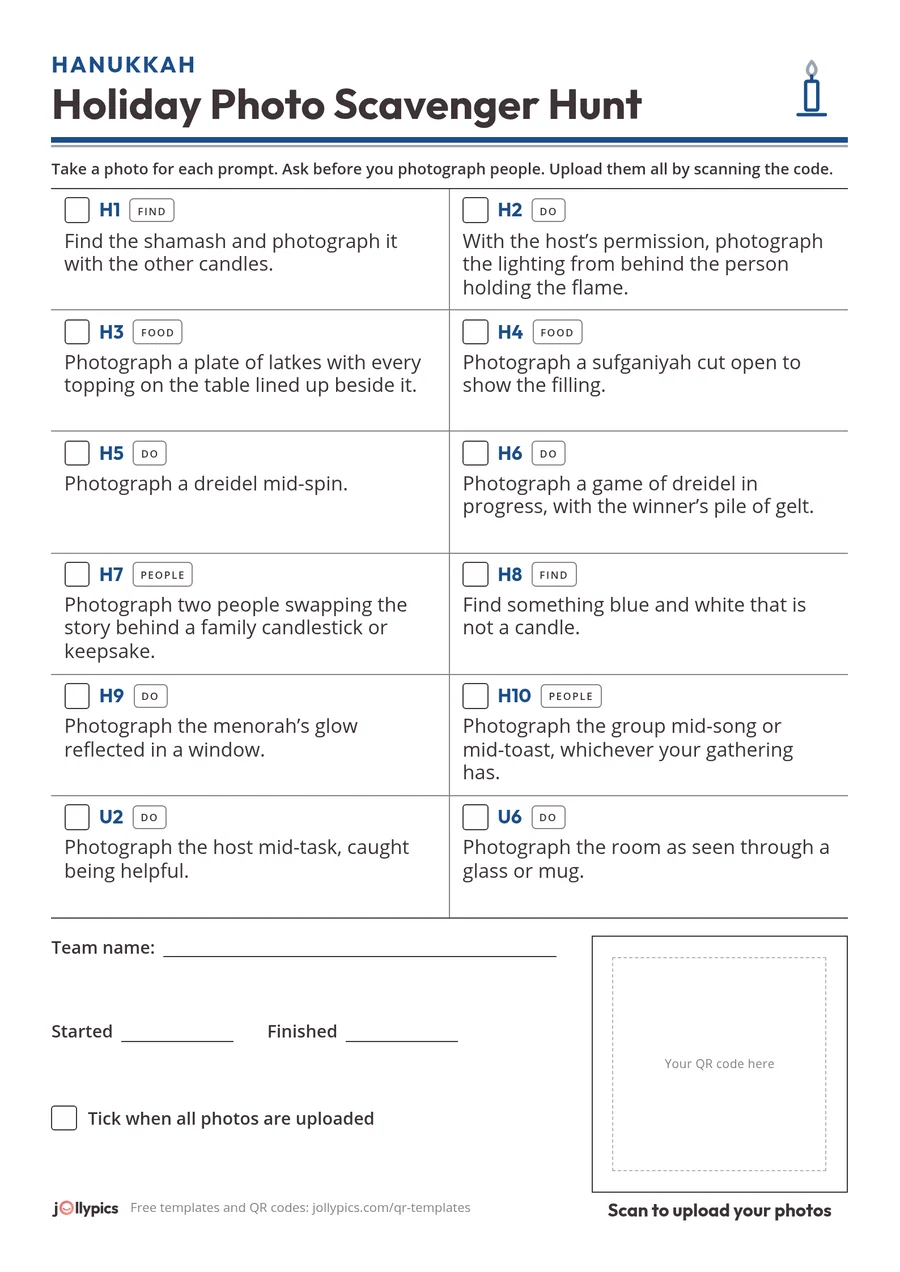
Hanukkah photo scavenger hunt prompts

This year Hanukkah begins at sundown on Friday, December 4 and ends at nightfall on Saturday, December 12. These prompts suit an adult gathering where the guests celebrate. Keep every one optional, and photograph a candle lighting only with the host's permission.
Some observant guests do not use electrical devices, phones and cameras included, from Friday sundown to Saturday nightfall. Two of this year's nights begin on a Friday, so plan the hunt for a weeknight and ask your guests before planning around Friday evening.
| # | Type | Prompt |
|---|---|---|
| H1 | Find | Find the shamash and photograph it with the other candles. |
| H2 | Do | With the host's permission, photograph the lighting from behind the person holding the flame. |
| H3 | Food | Photograph a plate of latkes with every topping on the table lined up beside it. |
| H4 | Food | Photograph a sufganiyah cut open to show the filling. |
| H5 | Do | Photograph a dreidel mid-spin. |
| H6 | Do | Photograph a game of dreidel in progress, with the winner's pile of gelt. |
| H7 | People | Photograph two people swapping the story behind a family candlestick or keepsake. |
| H8 | Find | Find something blue and white that is not a candle. |
| H9 | Do | Photograph the menorah's glow reflected in a window. |
| H10 | People | Photograph the group mid-song or mid-toast, whichever your gathering has. |
The Hanukkah card uses all ten, plus two from the swaps below (U2 and U6), to make twelve.
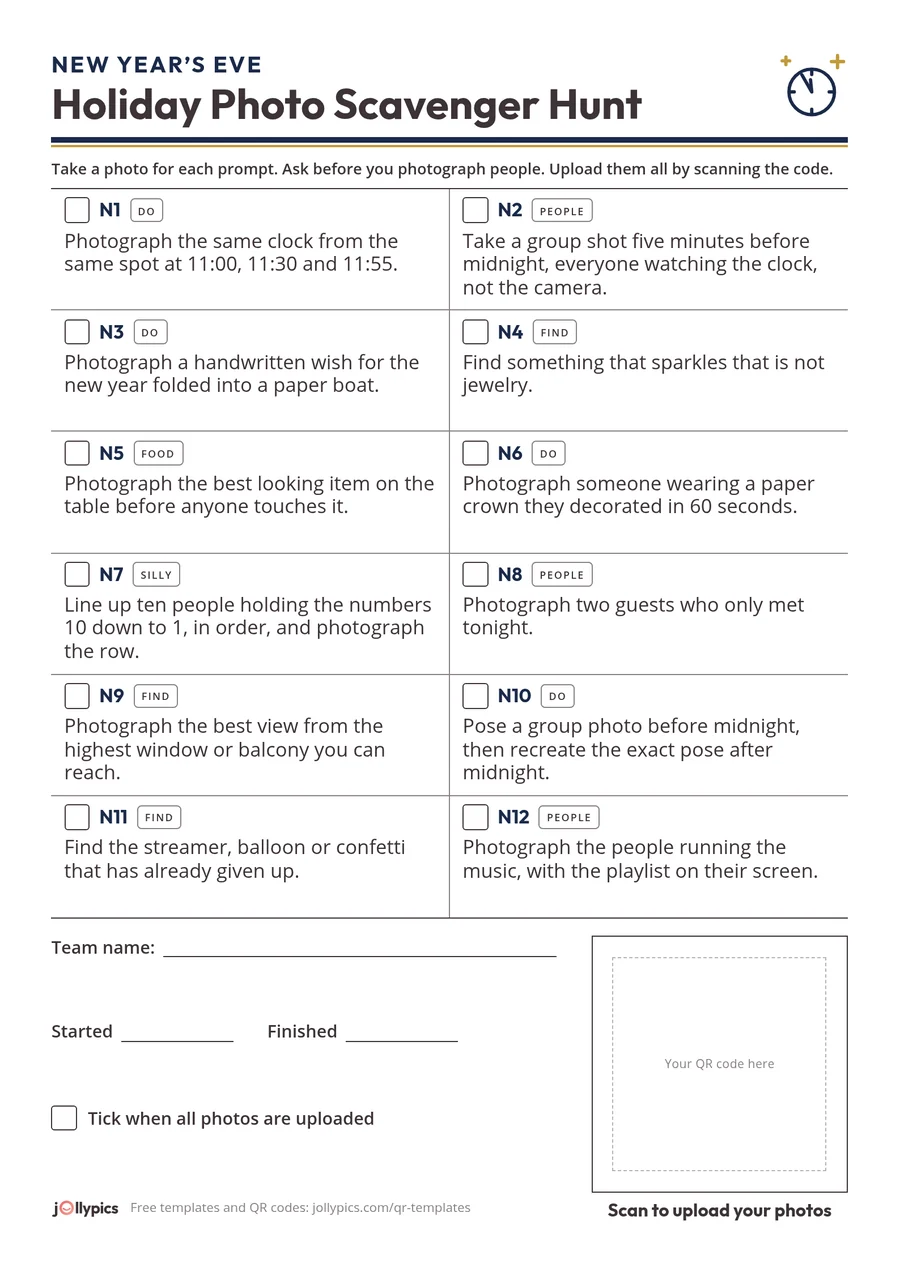
New Year's Eve photo scavenger hunt prompts
New Year's Eve is Thursday, December 31. It comes with a built-in clock: start the hunt at 11:00 and make "upload before midnight" the finish line.
| # | Type | Prompt |
|---|---|---|
| N1 | Do | Photograph the same clock from the same spot at 11:00, 11:30 and 11:55. |
| N2 | People | Take a group shot five minutes before midnight, everyone watching the clock, not the camera. |
| N3 | Do | Photograph a handwritten wish for the new year folded into a paper boat. |
| N4 | Find | Find something that sparkles that is not jewelry. |
| N5 | Food | Photograph the best looking item on the table before anyone touches it. |
| N6 | Do | Photograph someone wearing a paper crown they decorated in 60 seconds. |
| N7 | Silly | Line up ten people holding the numbers 10 down to 1, in order, and photograph the row. |
| N8 | People | Photograph two guests who only met tonight. |
| N9 | Find | Photograph the best view from the highest window or balcony you can reach. |
| N10 | Do | Pose a group photo before midnight, then recreate the exact pose after midnight. |
| N11 | Find | Find the streamer, balloon or confetti that has already given up. |
| N12 | People | Photograph the people running the music, with the playlist on their screen. |
Six swaps for any holiday
Use these to replace a prompt that does not fit your room, or for a general winter party.
| # | Type | Prompt |
|---|---|---|
| U1 | Find | Find the smallest decoration in the room and photograph it beside something giant. |
| U2 | Do | Photograph the host mid-task, caught being helpful. |
| U3 | People | Get three people in one photo who have never been photographed together. |
| U4 | Silly | Photograph your most convincing "I was not going to take the last one" face. |
| U5 | Find | Find a shadow shaped like something else. |
| U6 | Do | Photograph the room as seen through a glass or mug. |
The free printable card
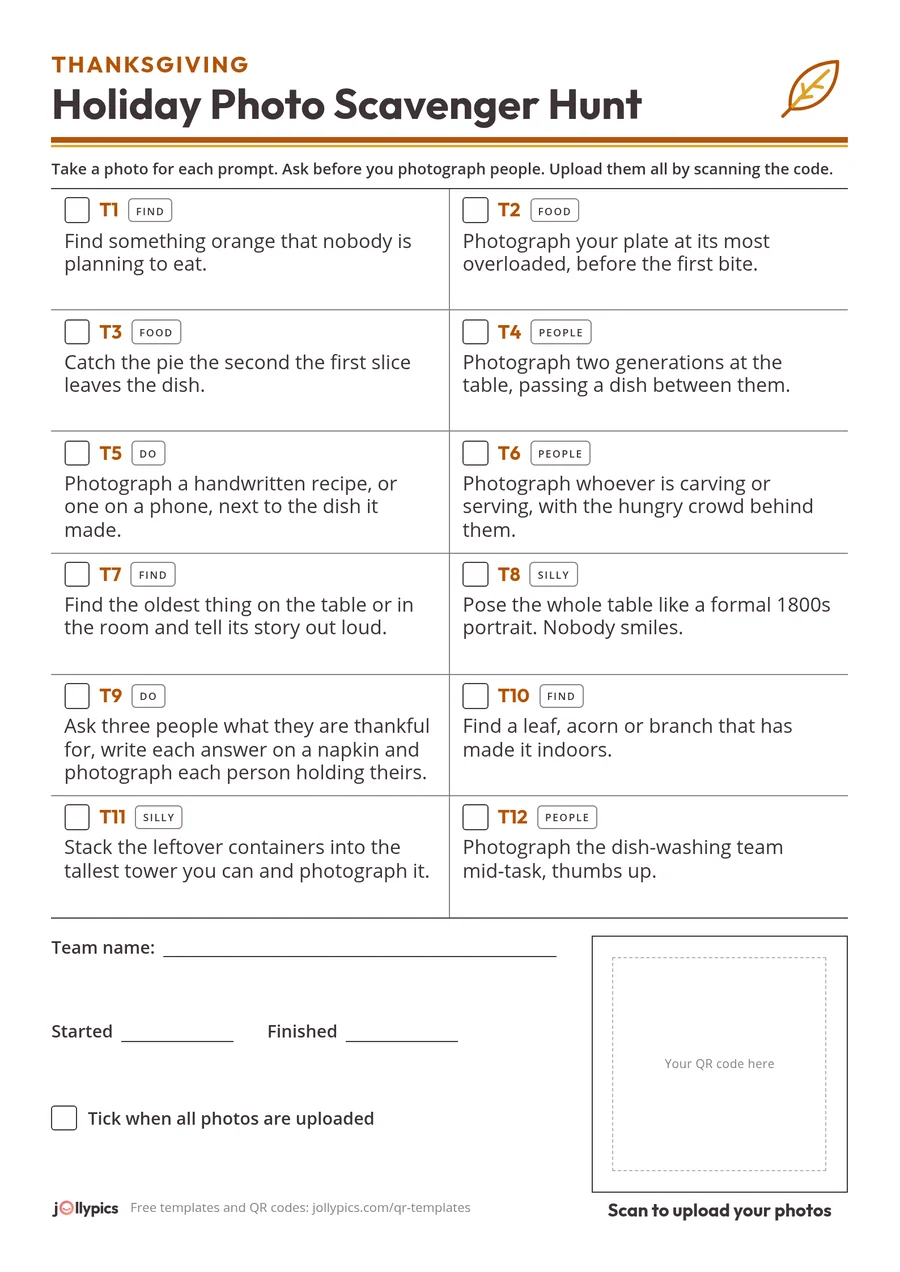
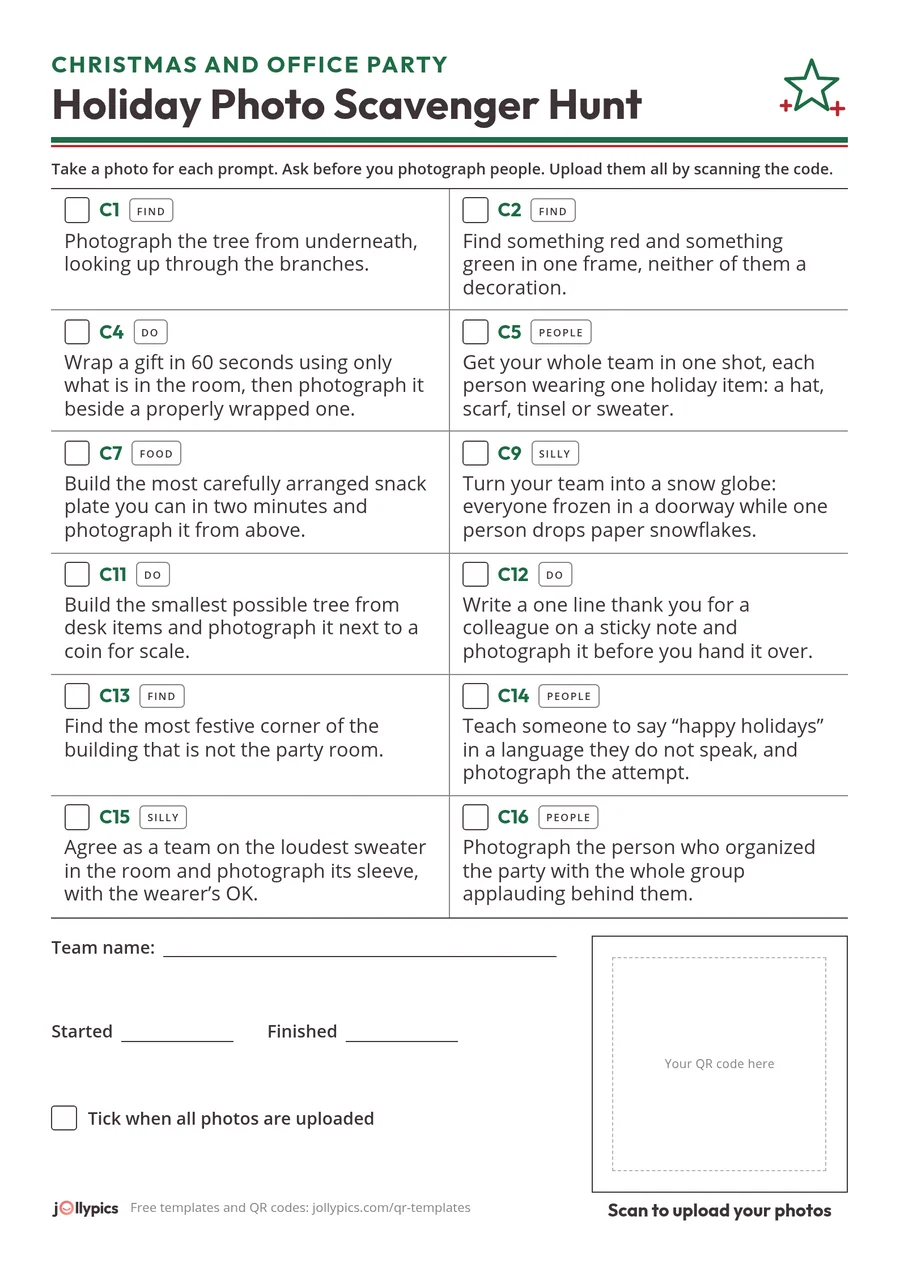
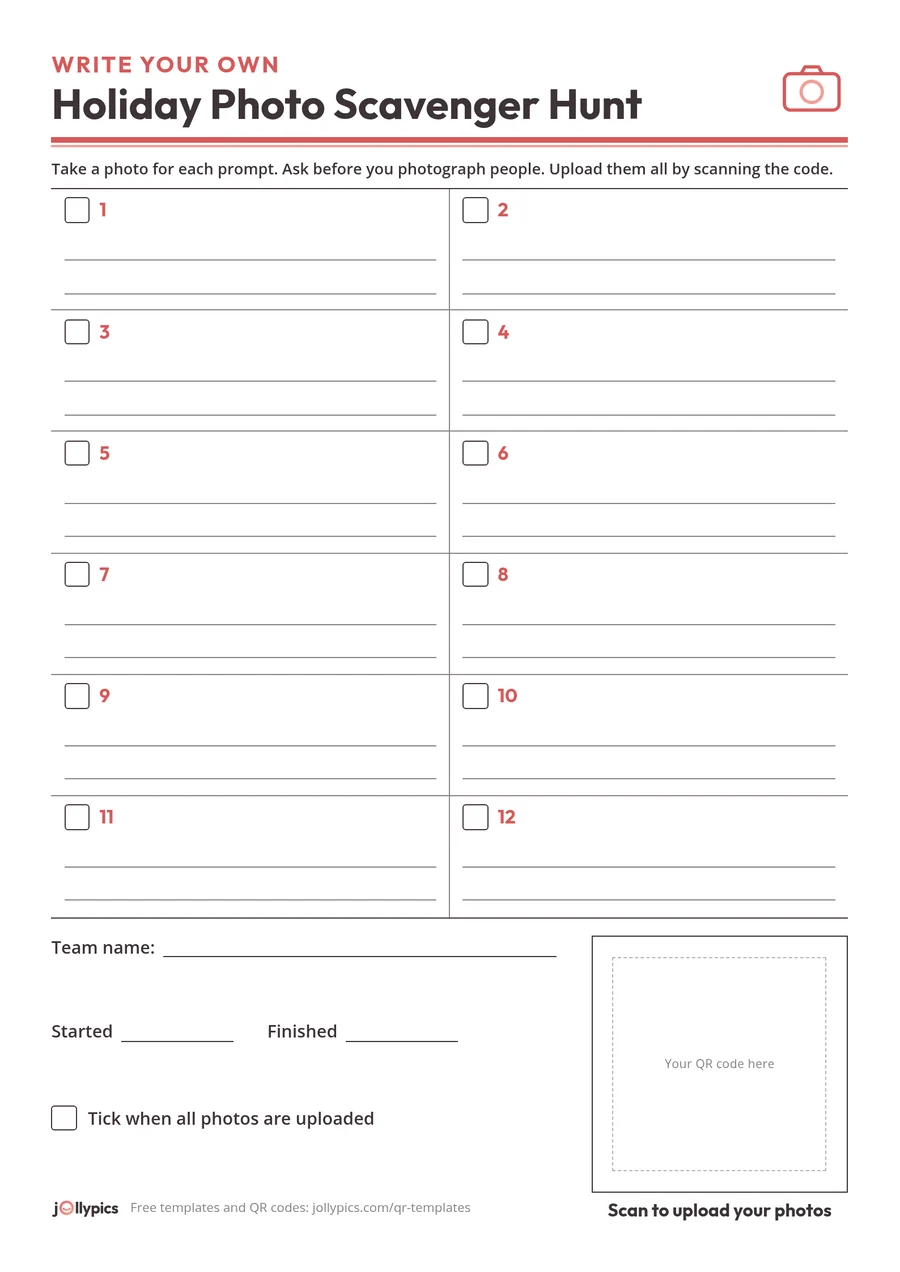
Hand one card to each team: the rules, the prompts and the upload step are all on one sheet. What is on it:
- The occasion and the title at the top, with no year, so you can print the same file next December.
- One instruction line: take a photo for each prompt, ask before you photograph people, upload them all by scanning the code.
- Twelve prompts in a two column grid, each with a tick box, its number and its type tag. A nine prompt version with bigger boxes suits a shorter game, two to a sheet.
- A blank square for your QR code in the footer, sized for a tabletop code with a white margin around it so phones can read it. Stick on a printed code or print yours into the box. About two inches is the smallest we recommend for a code on a table; our guide to QR sign size and lighting explains why.
- A team name line, a start and finish time, and a last box to tick when every photo is uploaded.
Each card comes in A4 and US Letter and prints well in black and white on a home printer. The download is free: no email, no account, no watermark on the card.
If you want a matching sign for the room, our QR code templates include a holiday party table card with the same kind of blank QR box.
Where do all the photos go?
This is where most hunts fall apart: the game ends and the photos stay on a dozen phones. Here are the free and built-in ways to collect them, and when each is good enough.
| Method | What guests need | Fine for | The catch |
|---|---|---|---|
| Group chat (WhatsApp, iMessage, Messenger) | The chat app and an existing group | Up to about ten people who already share a chat | Photos are scattered through the thread and you save them one by one. Judging a hunt from a scrolling chat is hard. |
| iCloud Shared Album | Mostly Apple. On iOS 26 and earlier, contributors need an Apple Account; adding photos from a non Apple phone, on the web, needs the host and album on iOS 27 or later | A small, all iPhone group | Capped at 100 participants, and the album lives in iCloud. Guests on mixed phones and older software get confused. |
| Google Photos shared album | A link to view; adding photos usually asks guests to sign in to a Google account | Groups that already use Google Photos | The sign in step is where guests without a Google account drop out. |
| Google Drive shared folder | Usually a Google account to add files | An office where everyone is on Google Workspace | Anyone signed in with edit access can also move or delete files, which matters when you want to keep every team's entry. |
| Email or text to the host | Nothing new | Three or four photos | Photos arrive one at a time, mixed with everything else in your inbox. |
| QR code upload page (JollyPics) | A phone camera and browser; no app, no account | Any size, any mix of iPhone and Android | The free Starter plan covers a small hunt; a whole party needs a paid plan for the event. |
The Apple and Google details come from their own help pages, linked under Sources.
Honest notes on the table:
- A family table of eight who already share a chat: use the chat. You do not need a tool.
- A small group where everyone has an iPhone: a Shared Album works well. The trouble starts when one guest has an Android phone and the host is not yet on iOS 27.
- An office on Google Workspace: a shared Drive folder is good enough if everyone is signed in; partners and plus ones usually are not.
- Anything bigger or more mixed: a QR upload page removes the account problem, and every team's photos land in one folder you own, in high resolution with no watermarks. The longer comparison is on our group photo sharing page.
How the free Starter plan fits a hunt
The Starter plan is free and covers one event with up to 50 uploads, files up to 100 MB each. Four teams finishing a 12 prompt card is about 48 photos, so a small hunt fits. A whole party where every guest also uploads their own photos will go past 50, and for that you need one of the paid plans for the event, which have no upload cap. The pricing page has the details.
Run the hunt with one QR code
Before (about ten minutes):
- Pick 10 to 15 prompts and print one card per team.
- Create your event at JollyPics with your Google account. You get a QR code and an upload link, and a folder is created in your own Google Drive.
- Print the QR code and stick it in the box on each card, or put one larger code where everyone can see it.
- Decide the teams and the time box, and pick your judges.
During:
- Read the rules out loud in fifteen seconds: the time, what a point is, ask before you photograph people, upload by scanning the code.
- Ask each team to choose one phone for uploading, so its photos arrive together.
- Start the clock. Guests scan, pick photos and tap upload in the browser.
Telling the teams apart. On the Event Plus plan, guests can add their name and a caption to their uploads, so ask teams to put their team name and the prompt number in the caption, such as "Reindeer, C7". On any plan, ask each team to make its first photo a picture of its card with the team name written on it, and to shout out the prompt number as you go through the photos at judging time. JollyPics collects the photos; you do the judging, with the folder open on a laptop or phone.
After:
- Open the folder, go prompt by prompt, and announce the winners.
- Send everyone the folder link with a thank you, and invite them to add their other party photos. For follow-up messages, see our guide on how to get photos from everyone after a party.
Two short messages for the hunt itself:
Before: We are running a photo scavenger hunt tonight! Grab a card from your table, take a photo for each prompt, and scan the code on the card to upload. No app, no sign up.
After: Thank you for playing! The winners are announced, and every team's photos are in one place here: [link]. Add any other photos from tonight while you are at it.
FAQ
How many prompts should a holiday photo scavenger hunt have?
Between 10 and 15 for one event. Start with an easy one and mix the types.
How long should a photo scavenger hunt last?
About 30 to 45 minutes at work, less for a small family group. At a seated Thanksgiving dinner, skip the timer and let teams finish over the meal.
Can guests play without downloading an app or creating an account?
Yes. With a QR code upload page, guests point the phone camera at the code, tap the link, pick their photos and tap upload in the browser. Shared albums and Drive folders usually ask for an Apple or Google account to add photos.
How do you judge the photos fairly?
Use judges who are not playing, agree before the start what earns a point (one per prompt, plus a small bonus for creativity), and go through the photos one prompt at a time. Awards work too if you would rather not keep score.
Is a group chat good enough for a photo scavenger hunt?
For a table of about ten people who already share a chat, yes. What you lose is order: photos are scattered through the thread, so judging takes longer and you save them one by one.
How do I run a hunt at work without making anyone uncomfortable?
Make it optional, ask before photographing anyone, keep screens and paperwork out of shots, and avoid prompts about looks, age or relationships. No alcohol dares, no drinking prizes and no close-ups of children. More in corporate event photo sharing.
Sources
- U.S. Office of Personnel Management, "Federal Holidays"
- Hebcal, "Chanukah 2026"
- My Jewish Learning, "Electricity on Shabbat"
- Scavify, "The ultimate photo scavenger hunt guide"
- Confetti, "How to host a photo scavenger hunt at work"
- Leaderboarded, "Photo scavenger hunt ideas"
- Apple, "How to use Shared Albums in Photos on your iPhone, iPad, or Apple Vision Pro"
- Apple, "Shared Albums limits"
- Google Photos Help, "Share photos & videos"
- Google Drive Help, "Share folders in Google Drive"